Mylo Intelligence · AI
Ask your expenses anything.
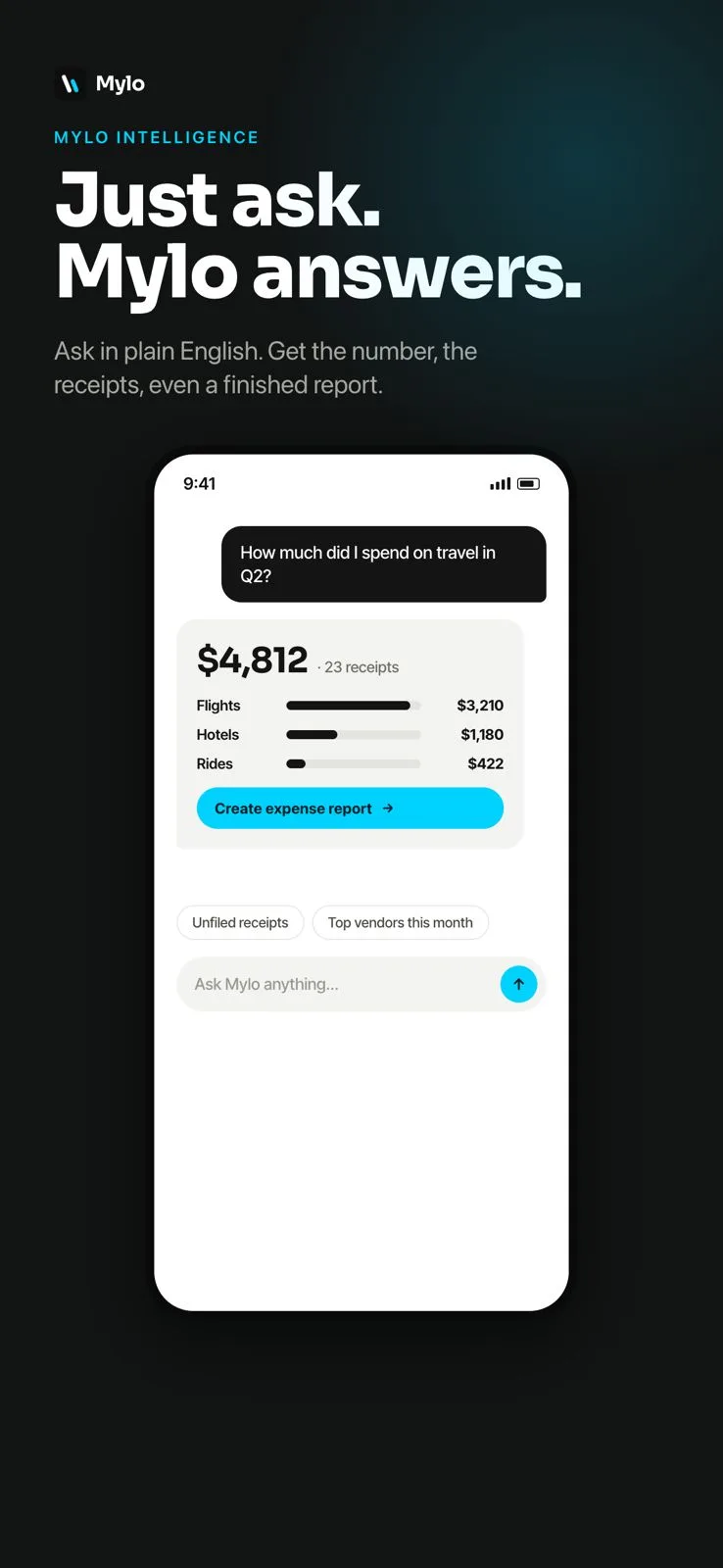
Ask questions about your spending in plain English and get the number, the exact receipts behind it, and a finished expense report. No spreadsheets, no filters, no formulas to remember.


30-day free trial. No card required, cancel anytime.
How it works
Plain-English questions, sourced answers.
Mylo reads your captured receipts and matched transactions, so every answer is grounded in your real data.
- 1
Ask in plain English
Type a question like "how much did I spend on travel in Q2" or "what are my top vendors this month."
- 2
Get a sourced answer
Mylo returns the number along with the exact receipts and transactions behind it, so you can trust and trace it.
- 3
Turn it into a report
One tap turns any answer into a ready-to-send expense report, already categorized and backed by receipts.
Why it matters
The fastest way to understand your spend.
Answers in seconds
Skip the spreadsheet. Get totals, breakdowns and trends the moment you ask.
Always sourced
Every number links back to the receipts and transactions behind it, so nothing is a black box.
Report-ready
Turn any question into a finished, submittable expense report without touching a template.
Spot trends
Surface top vendors, biggest categories and unfiled receipts so you always know where your money goes.
Works with what you use
Built on your real data.
Receipts from
Email, stores, camera
Transactions from
12,000+ banks via Plaid
Exports to
QuickBooks & reports
FAQ
Questions, answered.
What can I ask Mylo?
Ask about spend by category, vendor or time period, your top vendors, unfiled receipts, totals for a trip or project, and more. If it relates to your captured receipts and matched transactions, Mylo can answer it.
Where do the answers come from?
Answers are built from your own data: the receipts Mylo has captured and the bank and card transactions it has matched. Each answer shows the receipts behind the number.
Can it build an expense report for me?
Yes. Any answer can be turned into a finished expense report in one tap, already categorized and backed by the underlying receipts.
Is my financial data private?
You decide exactly what is shared or exported, inbox access is read-only, and bank connections run through Plaid with bank-grade encryption.
Keep exploring
Just ask. Mylo answers.
Set up in a few minutes, on the cards you already carry.
30-day free trial. No card required, cancel anytime.