Expense Autopilot · AI
Expenses that file themselves.
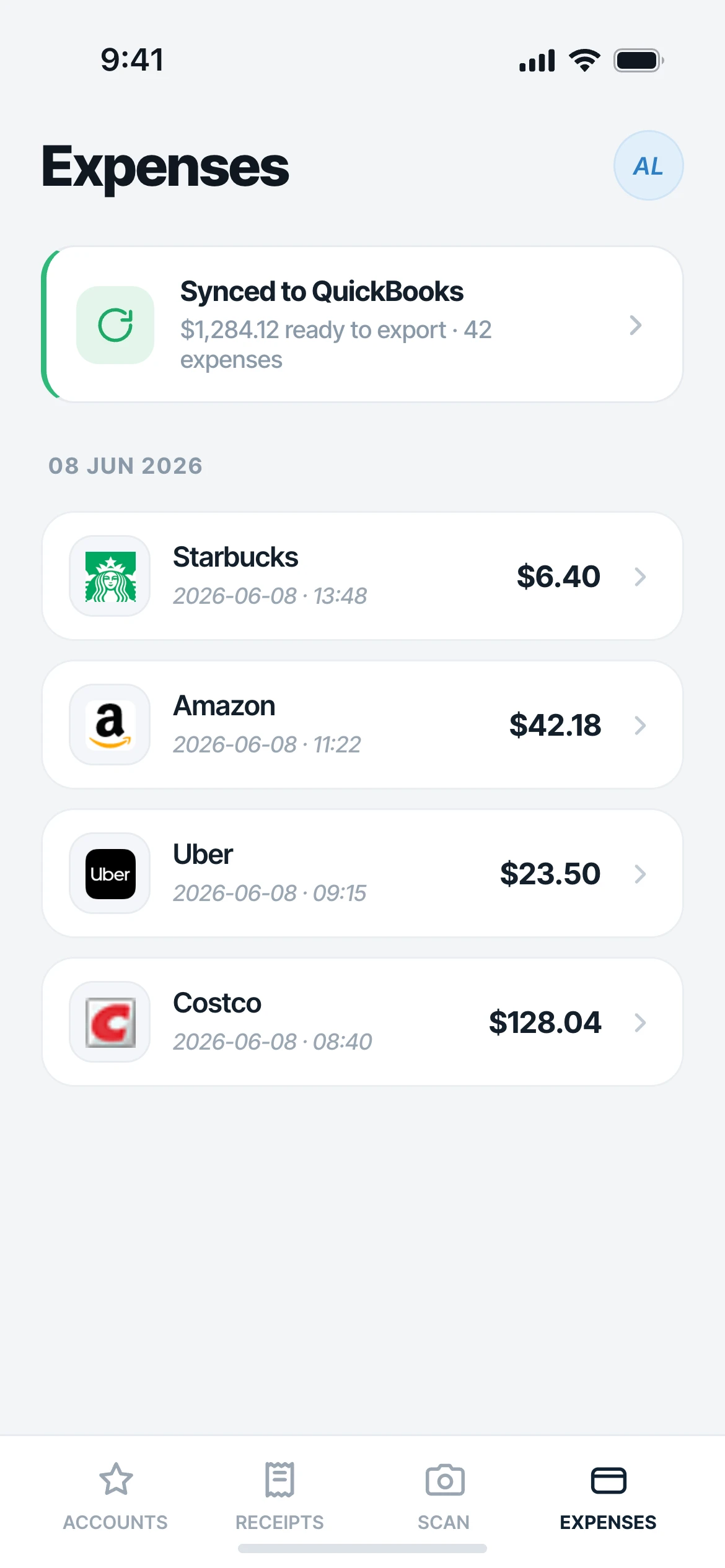
Connect the accounts you already have and Mylo infers why you spent, drafting the expense before you ask. A client coffee during a meeting, a flight that opens a trip report, a subscription that renews every month: each one is drafted for you, categorized and ready to submit.


30-day free trial. No card required, cancel anytime.
How it works
Connect, infer, draft.
Mylo reads the signals in your own accounts together, so it knows not just what you spent, but why.
-
Step 1
Connect what you have
Your inbox, your bank and card feeds, and your calendar. No new card, no switching anything.
-
Step 2
Mylo infers the why
It reads the signals together: a meeting on your calendar, a flight in your inbox, a monthly charge on your feed, and works out the reason behind the spend.
-
Step 3
The expense drafts itself
Each expense is created for you, categorized with the context attached, ready to review and submit or sync to QuickBooks.
Connect it once, and expenses draft themselves before you ask.
Why it matters
Three ways spend files itself.
Meeting context
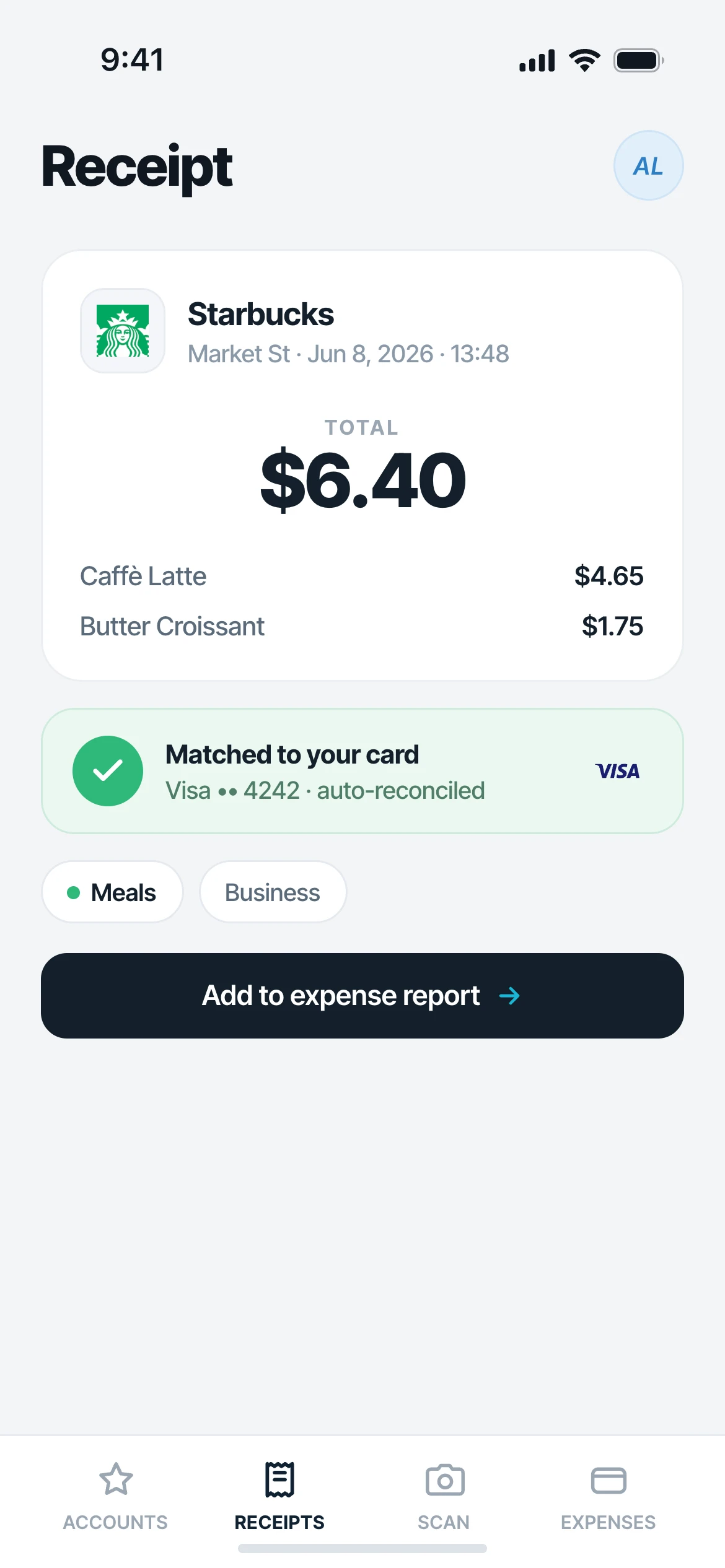
A "client coffee, 3pm" on your calendar and a $6.40 café swipe at 3:02 become a drafted Meals expense, with the meeting attached as the reason.
Travel mode
A flight receipt lands and a draft trip report opens itself. Every in-window purchase attaches until you fly home.
Recurring
A subscription that renews on your personal card every month is drafted monthly, categorized and ready to submit.
Your accounts, your signals
It works even when your employer is not on Mylo, because the signals live in your own inbox, bank and calendar. Private by default.
Before you ask
The draft is already waiting
Mylo does not wait for you to snap a photo or fill in a form. By the time you think about the expense, it is drafted, categorized and holding the receipt, so all that is left is a glance and a tap.
- No snap, classify, submit for every purchase
- Context attached, so the reason is never a mystery
- Review and send, or let it sync to QuickBooks
No company card required
Captured from day one
Corporate-card tools only see a charge because they issued the card, so out-of-pocket spend falls back to manual entry. Mylo detects the transaction from your own feed and matches the receipt from your inbox, then drafts the reimbursement.
Works with what you use
Reads the accounts you already use.
Signals from
Inbox, bank & calendar
Exports to
QuickBooks & reports
Access
Read-only, private by default
FAQ
Questions, answered.
What is Expense Autopilot?
It is Mylo drafting your expenses for you. You connect your inbox, bank and calendar, and Mylo infers why you spent, a meeting, a trip, a monthly renewal, then drafts the expense categorized and ready to submit.
Do I need a company card?
No. Corporate-card tools only see spend on the card they issued. Mylo reads your own bank and card feeds and matches receipts from your inbox, so out-of-pocket spend is captured and drafted as a reimbursement, no card required.
What signals does it use?
Your inbox for receipts and bills, your bank and card feeds for the transactions, and your calendar for the reason behind a charge. Reading them together is what lets Mylo draft an expense with the right context.
Does it work if my employer is not on Mylo?
Yes. The signals live in your own accounts, so Autopilot works for you whether or not your company uses Mylo.
Is my email and calendar data private?
Yes. Mylo connects with read-only access, data is private by default and never sold, and you can disconnect any account at any time.
Keep exploring
Put your expenses on autopilot.
Set up in a few minutes, on the cards you already carry.
30-day free trial. No card required, cancel anytime.