AI assistants · MCP
Ask your expenses anything.
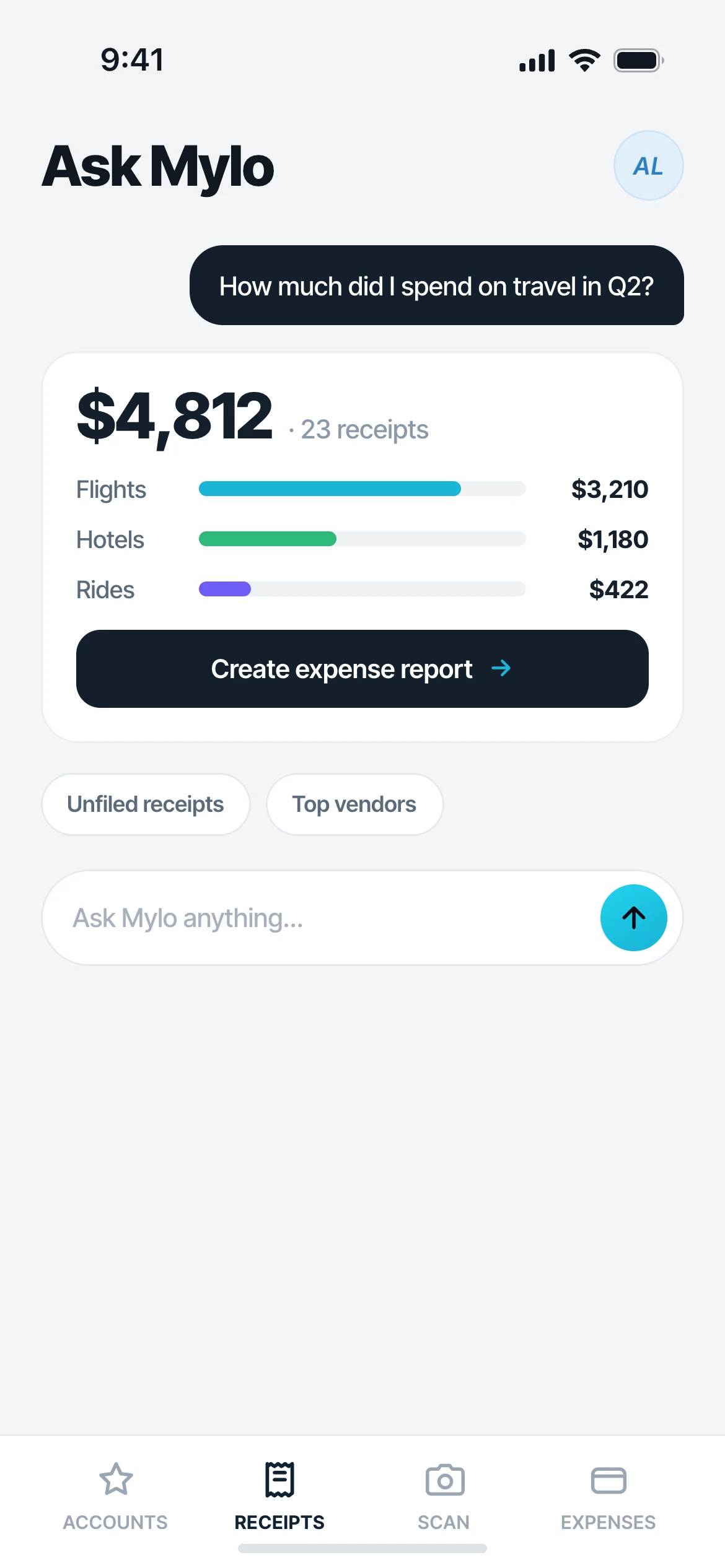
Mylo has a built-in assistant that answers questions about your receipts and expenses in plain language. Prefer your own tools? Connect Claude, ChatGPT or Gemini to your Mylo data with a secure connector and pull reports by chat.


30-day free trial. No card required, cancel anytime.
How it works
Two ways to ask.
Use the assistant built into Mylo, or bring the one you already work in.
-
Step 1
Ask Mylo, built in
Type a question in plain language. "What did I spend on travel in Q2?" or "Show unsubmitted receipts over $50," and get an answer from your own data.
-
Step 2
Connect your assistant
In Claude or ChatGPT, add Mylo as a custom connector, paste the connector URL, then sign in to Mylo to approve. Read-only, and you can revoke it anytime.
-
Step 3
Build reports by chat
Ask your assistant to total a category, find a missing receipt or draft an expense report, and it works straight from your live Mylo data.
Your expenses, answerable in plain language, from the assistant you already use.
Why it matters
Your data, your assistant.
Plain-language answers
No filters or pivot tables. Ask the way you would ask a bookkeeper and get the number back with the receipts behind it.
Works with the big three
Connect Claude, ChatGPT or Gemini through a standard connector, so you stay in the tool you already work in.
Read-only and private
The connector has read-only access to your Mylo data, is private by default and never sold, and you can disconnect it in a tap.
Owner-approved for teams
On Team and Enterprise an owner adds the connector once under Organization settings, so access is controlled centrally.
Works with what you use
Works with the assistants you already use.
Connect
Claude, ChatGPT & Gemini
Access
Read-only, private by default
Setup
Standard connector, revoke anytime
FAQ
Questions, answered.
What can the Mylo assistant do?
It answers questions about your receipts and expenses in plain language, totals categories, finds specific transactions and helps you assemble reports, all from your own Mylo data.
How do I connect Claude or ChatGPT?
In your assistant, open the connectors settings, add Mylo as a custom connector and paste the connector URL from Mylo. You then sign in to Mylo to approve the connection. It takes under a minute.
Is my data safe?
The connector has read-only access to your Mylo data. Nothing is written back, your data is private by default and never sold, and you can revoke the connection at any time.
Does it work for teams?
Yes. On Team and Enterprise an owner adds the connector once under Organization settings, so the whole team can use it under central control.
Which assistants are supported?
Any assistant that supports standard connectors, including Claude, ChatGPT and Gemini. Support follows the connector standard, so new clients work as they adopt it.
Keep exploring
Ask your expenses anything.
Set up in a few minutes, on the cards you already carry.
30-day free trial. No card required, cancel anytime.