Invoices · Accounts payable
Every bill in one place.
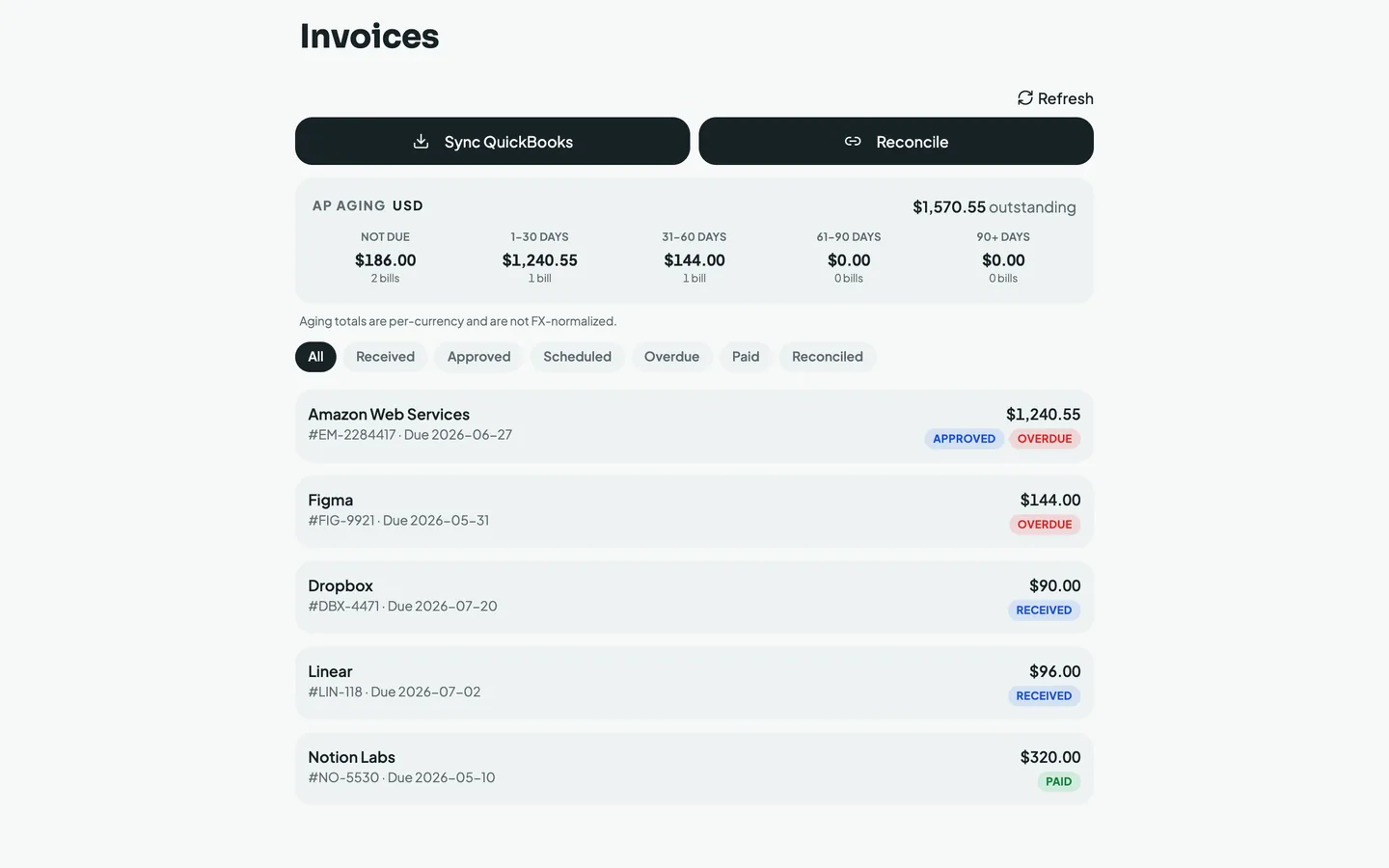
Forward a bill or let Mylo read it from your inbox, and it lands in a single accounts-payable view. See what is outstanding, what is overdue, and reconcile paid invoices against your bank feed and QuickBooks without a spreadsheet.


30-day free trial. No card required, cancel anytime.
How it works
Bill in, reconciled out.
Mylo reads each bill, tracks it to its due date, and closes the loop when it is paid.
-
Step 1
Bills land automatically
Forward a vendor invoice or let Mylo read it from your inbox. It pulls the vendor, amount, reference and due date, no manual entry.
-
Step 2
See what is due
Every bill sits in one AP aging view, bucketed by how close it is to due, so nothing slips to overdue unnoticed.
-
Step 3
Reconcile and sync
When a bill is paid, Mylo matches it to your bank feed and posts it to QuickBooks as a reconciled bill.
Know exactly what you owe, and to whom, without opening a spreadsheet.
Why it matters
Accounts payable, without the busywork.
AP aging at a glance
Outstanding totals split across Not due, 1 to 30, 31 to 60, 61 to 90 and 90+ days, so you always know what needs paying next.
Status you can trust
Received, Approved, Scheduled, Overdue, Paid and Reconciled. Filter to any one in a tap and see where every bill stands.
Reconciled to the bank
Paid invoices match against your bank feed and post to QuickBooks, so your books and your bills never drift apart.
Multi-currency aware
Aging totals are kept per currency rather than force-converted, so a bill in EUR and one in USD each read true.
Closes the loop
Straight through to QuickBooks.
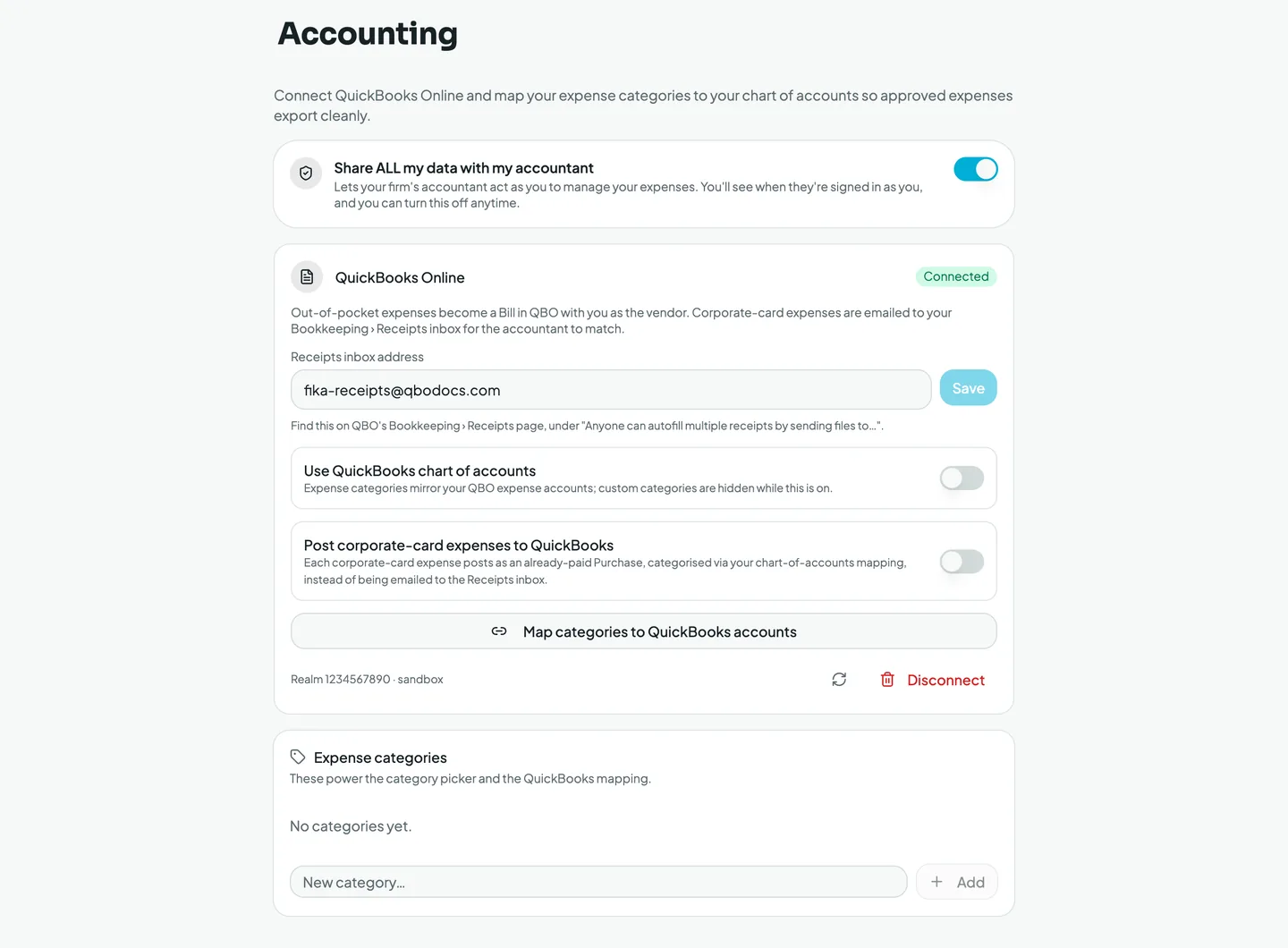
Map each vendor and category once, and reconciled bills post to QuickBooks Online cleanly.
Works with what you use
Works with what you already run.
Reads bills from
Inbox & forwarding
Posts to
QuickBooks Online
Reconciles against
Your bank & card feed
FAQ
Questions, answered.
How do bills get into Mylo?
Forward a vendor invoice to Mylo or connect the inbox it arrives in. Mylo reads the vendor, amount, reference number and due date and creates the bill for you, no manual entry.
What is AP aging?
It is a view of everything you owe, grouped by how close each bill is to its due date: Not due, 1 to 30 days, 31 to 60, 61 to 90 and 90 plus. It shows your total outstanding at a glance so nothing slips to overdue.
Does it reconcile against my bank?
Yes. When a bill is paid, Mylo matches it to the transaction on your bank or card feed and marks it Reconciled, so your records match your statement.
Does it post to QuickBooks?
Yes. Reconciled bills post to QuickBooks Online, with vendor and category mapping so they land against the right chart-of-accounts line.
Does it handle multiple currencies?
Aging totals are kept per currency and are not FX-normalized, so bills in different currencies each show their true amount rather than a blended conversion.
Keep exploring
Put accounts payable on autopilot.
Set up in a few minutes, on the cards you already carry.
30-day free trial. No card required, cancel anytime.