How-to guides
How data sharing works
By the Mylo team · Last updated June 30, 2026
This is the part worth understanding clearly, because it's deliberately layered:
By default, a connected accountant sees your company's submitted and approved expenses, plus invoices and reconciliation data. They do not see employees' private drafts. Accepting the accountant invite is what grants this org‑scoped access; removing them revokes it immediately.
Acting on an employee's behalf is separate and opt‑in. An employee turns on Share ALL my data with my accountant (on the Accounting screen) to let the firm open their personal receipts, drafts, and transactions and create/submit expenses for them.
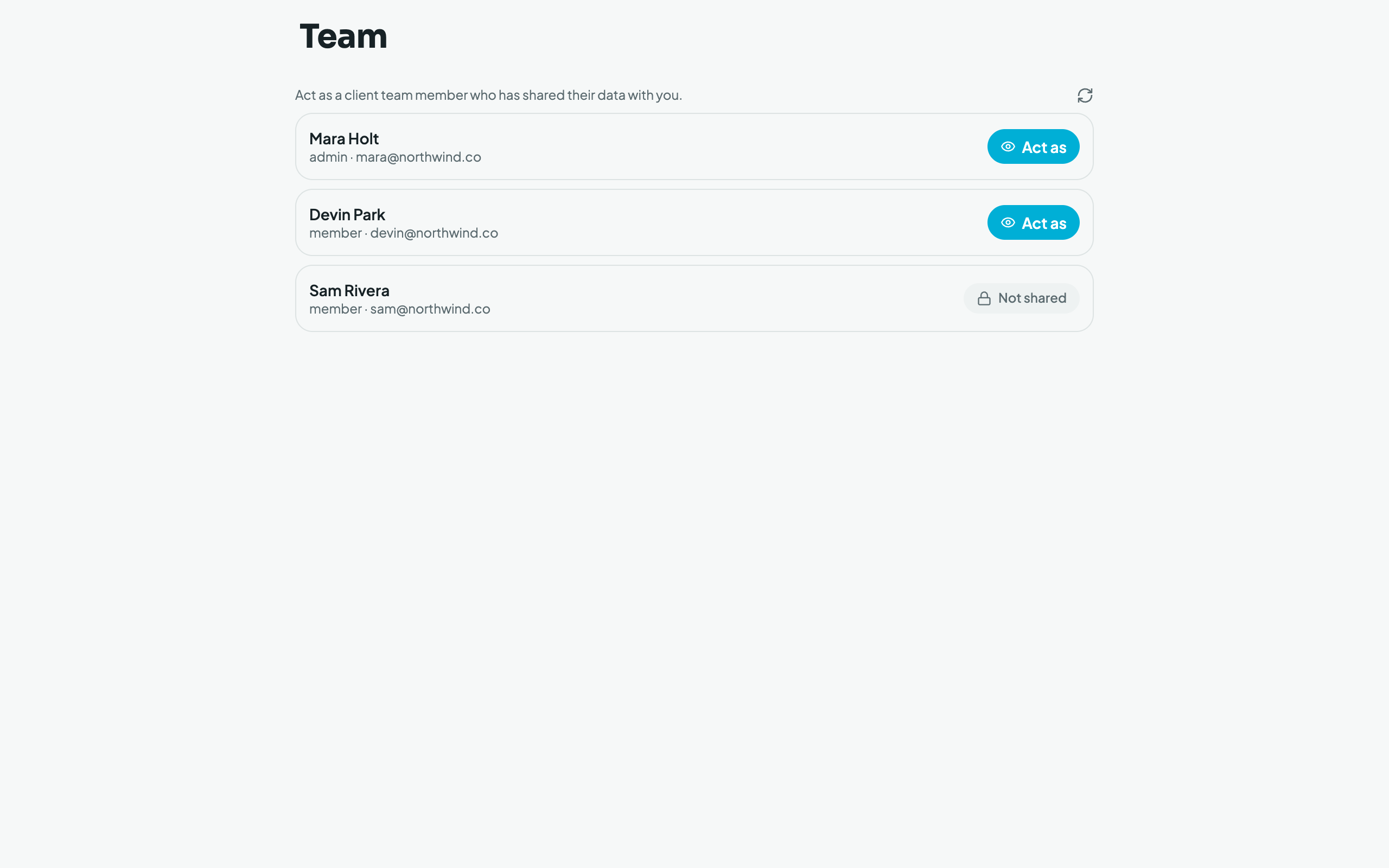
Once an employee opts in, they appear on the accountant's Team page with an Act as button; employees who haven't opted in show Not shared. While "acting as" someone, the accountant sees that person's normal app with a banner, and every action is attributed to the accountant for audit.
- Email‑captured invoices that can't be confidently attributed to your company stay private to the person whose inbox they came from until that person promotes them to the org.