Features
Invoices / Accounts Payable
By the Mylo team · Last updated June 30, 2026
The Invoices screen is your central bills ledger, what the business owes and whether it's been paid. At the top is an AP‑aging summary bucketed by how overdue each bill is (Not due / 1–30 / 31–60 / 61–90 / 90+ days), shown per currency (never FX‑summed). Below are status‑filter chips (Received, Approved, Scheduled, Overdue, Paid, Reconciled) and the list of bills.
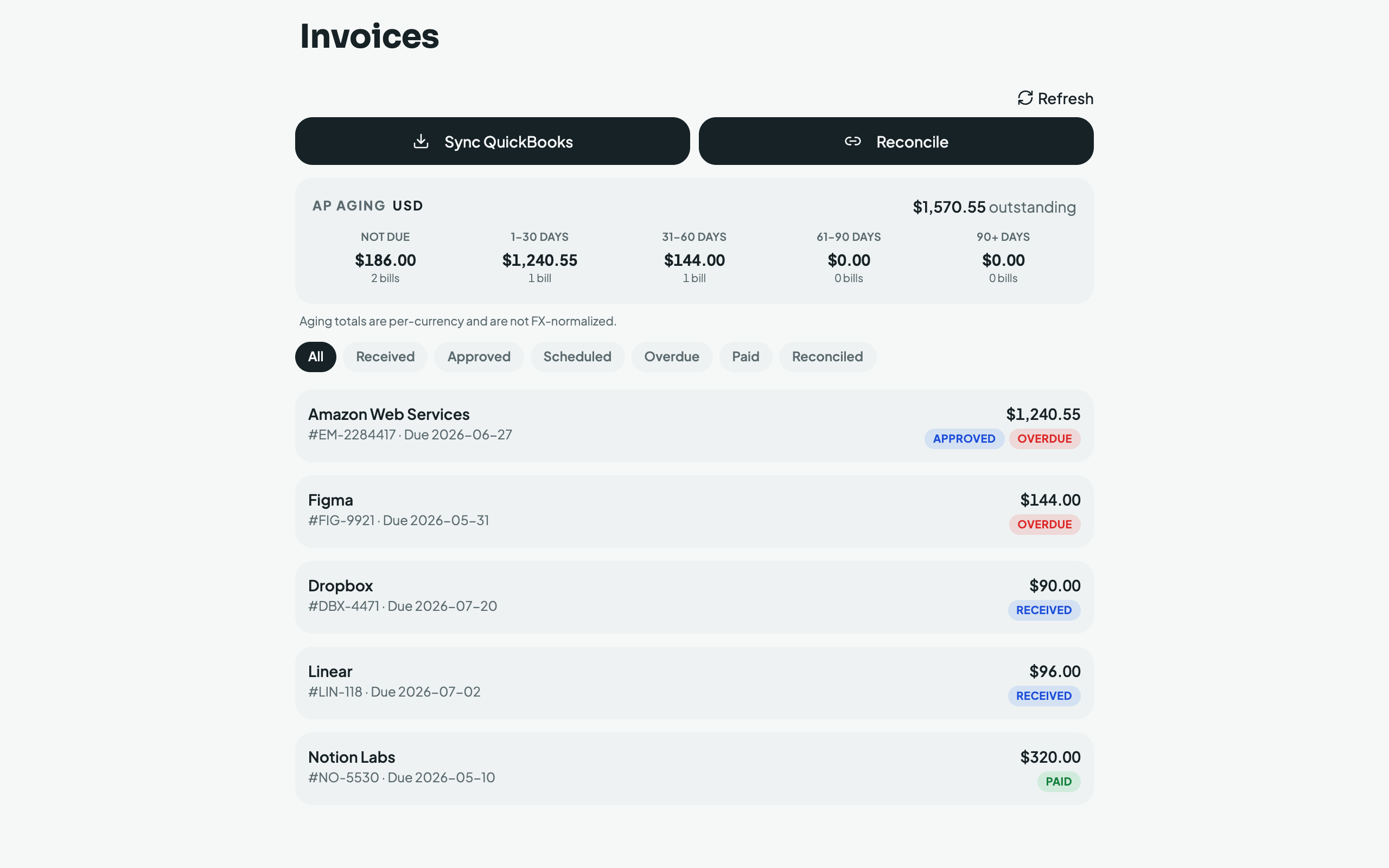
Bills come from three sources, deduplicated so the same bill arriving twice collapses into one row:
- QuickBooks: tap Sync QuickBooks to import bills, bill payments, and vendor credits.
- Email: tap Scan for invoices to sweep your connected inbox (30–365‑day look‑back) for invoices and reminders.
- Bank: tap Reconcile to match unpaid bills against your bank debits.
How reconciliation decides a bill is paid, conservatively. A candidate bank debit must clear several gates before Mylo will auto‑mark a bill paid:
- the amount matches exactly,
- the payment does not predate the invoice's issue date (plus a plausibility window),
- an AI judge agrees the debit settles that specific bill, and
- a deterministic clue corroborates it, a distinctive vendor token, or the invoice number appearing in the bank memo.
Only "AI says yes and corroboration succeeds" auto‑confirms. Anything weaker (a "maybe", or a "yes" with no corroborating clue) is stored as a potential match that you Confirm or Dismiss yourself, so a wrong payment is never booked silently.